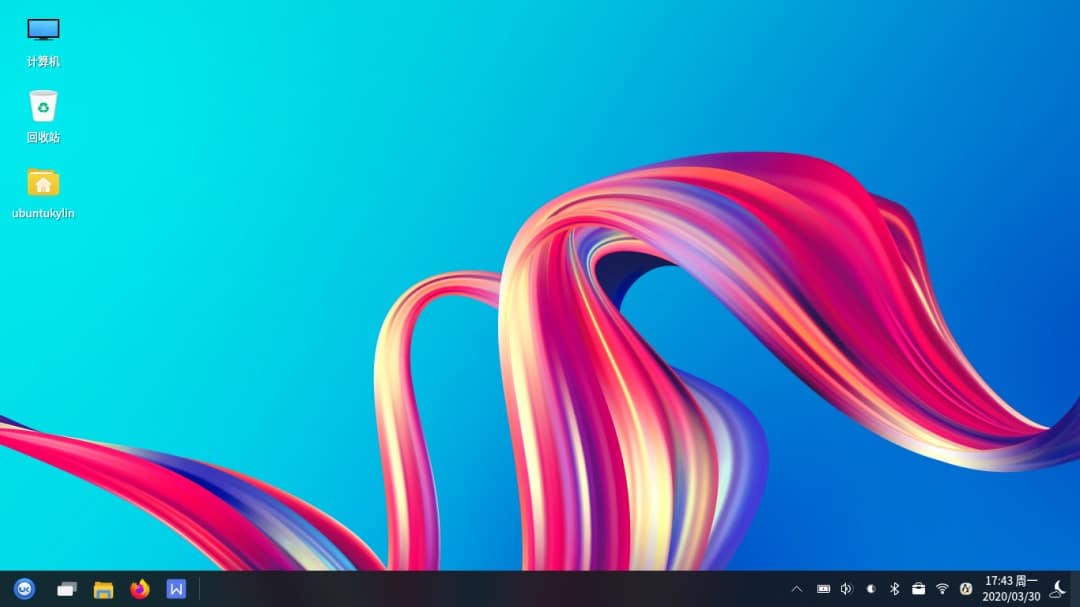
Ubuntu Kylin 20.04-V3 is now available, with a host of feature improvements and bugs fixes.
The update brings Start Menu UI optimizations, the ability to search by app name initials, and updated theme icons.
Changelog:
Start menu
New search function by alphabet
New search function by initial application name
New application name search function in English and Chinese
New search box animation
Optimized function classification module interaction
UI and animation optimization
Fix power button right-click menu icon
Solve the problem that some software icons fail to read during installation.
Fix incomplete display when user name is too long
Fix double display shift
Fix user image distortion
Fix blurred linear icons
File manager
New exit function for advanced search
Parallel operation of new files
New remember user view selection
New right-click menu options (select all, deselect, permanently delete, add to favorites)
New preview window to display file paths
Fix encrypted pdf file generating thumbnails causing crashes
Repair the operation of unzipping and creating new file, etc., which causes the current selected file to overwrite the previous one by highlighting.
Fix file type filtering not working in advanced search
Repair the blank space at the bottom of the icon view list, and long file name full display out of bounds.
Fix setting icon size to be invalid after refreshing
Fix search box can't input Chinese continuously
Alarm clock
Optimized divider styles
Optimize the style of the pane buttons
memo pad
New unordered/ordered list reversible
New icon mode display
Fix font (bold / italic / underline / strikethrough) settings irreversibility
Taskbar
New function to uninstall a single partition from a USB stick
Add processing of inserting an empty storage device
Fix incorrect size of default icons used when application icons are not read.
Fix truncated taskbar icon
Fix hidden taskbar not working
Fix button on taskbar not highlighting when focus is on an app
Fix the file manager uninstalling the USB stick and the taskbar not syncing.
Fix style distinction when opening multiple windows in application area
Fix blurring of application area icons on high-resolution screens
System themes
New QFrame styles
Icon Updates
Optimized control margins
Fix GTK style failure for web tools and TreeView controls
Fix file permissions, soft links and other types of icons
Fix inactive button font color
Fix QComboBox popup menu style.
Fix the style of partial QMenu.
Control panel
New level one navigation tab in full screen mode
New network refresh button
New Features - Security Center
UI Optimization
Fix the problem of incorrect mouse-drag position drift on high resolution screen
Fix blurred highlight icons
Repair abnormal desktop background preview display
Fix incorrectly maximizing and minimizing icon after dragging window
Fix incomplete display of internationalized English words
Fix "Show lock screen wallpaper on login page" function doesn't work.
Fix screen saver settings not working
Fix adjusting the font size progress bar and not seeing the setting value.
Fix abnormal display of shortcut pages and wallpaper pages when the theme is black.
Repair the frequent refresh of network module or duplicate display of toggle switch list.
Fix version error about page display
Fix the error of zooming drop-down box display when switching night mode
Fix the effect mode failure when switching themes
Setting up background services
Fix emptying the Recycle Bin when the disk is full and following the pop-up box does not work.
Fix screenshot shortcuts not working
Window Manager
Fix the failure of probabilistic rendering of existing forms after switching users and logging in again.
Fix the problem that the desktop effect is interrupted when accessing mirror dual screen
Network tool
Synchronization of network connection state and out-of-application hold state of new network tools
User manual
Fix hover state exceptions
Fix probabilistic invalidation of click events
Session Manager
Fix the window manager not starting itself after low version upgrade.
Power management
Update application icons
Fix anomaly in the position of the first open window on a desktop machine
New Remaining Time Reminder Font Color